Translating profiles
Profiles work similarly to Custom Fields, with one caveat: if you do not change the default Label, Description, Pre/Post help text, the profile uses the translation already available in core or in the previously translated Custom field.
Translating labels
If you change the labels of fields added to a Profile, translate them as follows:
- Go to Administrator > Customize Data and Screens > Profiles.
- Click the
Fieldslink for the Profile you want to translate. - Click the
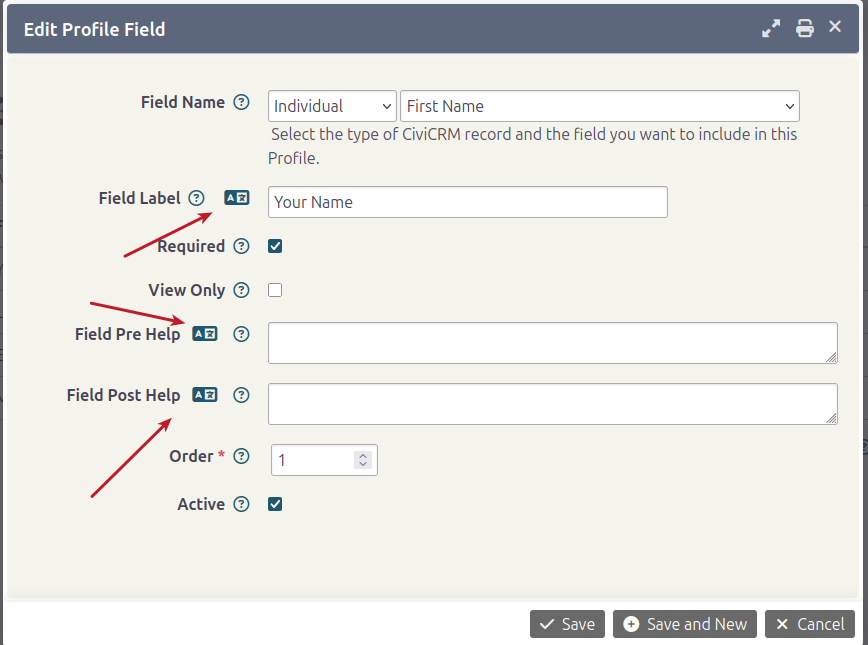
Editlink for a Field. In this example,First Namehas been changed toYour Name. -
Click the corresponding translate button. In the popup, translate the label or value.
-
Click Save.
- Repeat the process for the other fields whose default labels you modified.
- View the profile in another language to see the fields with your translations.