Integrating events with your website
You can promote events on your website or on other organisations' websites by linking to event pages, displaying event information, or sharing an RSS feed.
Link to an event page
Navigate to Events > Manage Events and click Event Links. The menu includes links to the event info page and the event registration page. The registration page is also linked from the info page.
Copy the URL for the event page. You can link to this page from anywhere on your website.
Add an event link in Joomla!
- Go into the Joomla! control panel.
- Choose Menu Manager > Your menu name.
- Click New.
- Expand CiviCRM > CiviCRM Events and click the Event Info item.
- Choose the event from the Select an Event list on the right side of the page.
- Click Save.
Display an event registration form in WordPress
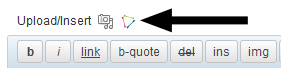
You can use the CiviCRM icon 'shortcode' to insert the event registration form into a Page or Post.
Display upcoming events in Drupal
The views module offers options for displaying lists of content, including an automatically updating list of upcoming events. See Integrating with Drupal in the Website integration chapter for more details.
RSS feed for all upcoming events
Visitors can subscribe to all your events in the RSS feed reader of their choice. Many website management systems can also subscribe to an RSS feed and present its information within their layout.
- Navigate to Events > Manage Events.
- Click the orange and white square icon at the top right of the page.
- Copy the URL to share or embed into your website.