Event templates
If you need to set up a number of events with similar configurations, you can streamline the process using event templates. Creating a template is similar to creating an event, with two differences:
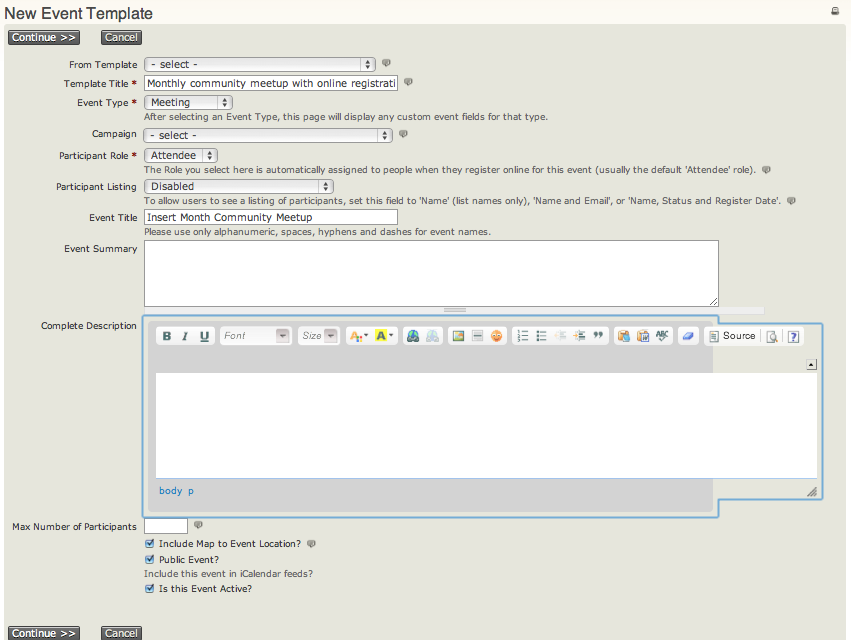
- Assign a descriptive template title that identifies the type of event it is used for, such as Monthly community meetup with online registration.
- The template form has no starting or ending dates. Those dates are specific to an actual event instance.
Create an event template
- Navigate to Events > Event Templates and click Add Event Template.
- Enter a template title and event type.
- Select a campaign if all events created from the template should be associated with a Campaign.
- Continue the normal event set-up process, using settings that will be constant across events created from the template. Common characteristics might include location, event fees, online registration settings, and tell-a-friend settings.
Use an event template
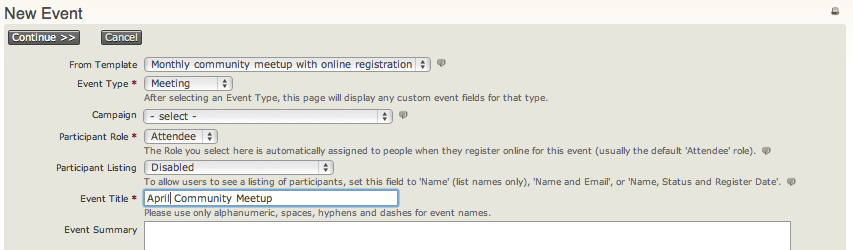
When you start to create a new event, select the template. The new event will be pre-filled with the saved configuration properties.