Setup
CiviCRM system status
Starting in 4.7, the CiviCRM System Status screen shows the current status of your CiviCRM installation. It is found at Administer > Administration Console > System Status.
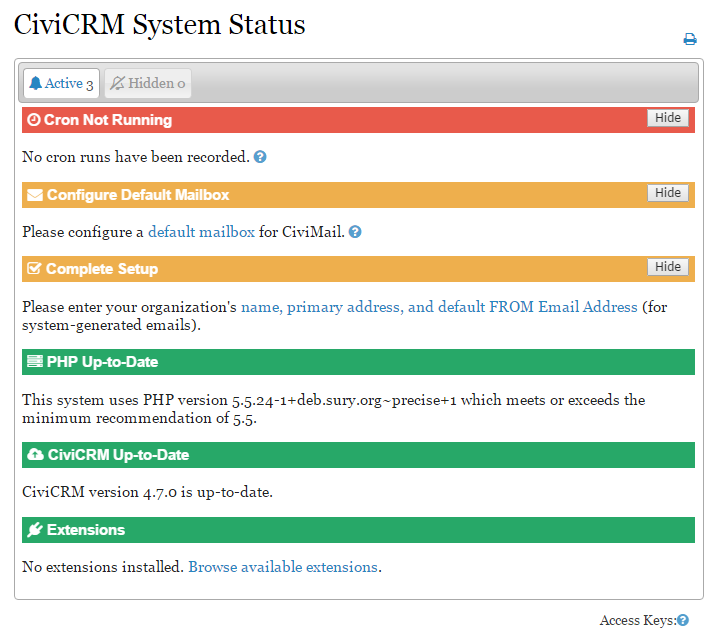
- Items in Red need to be addressed as soon as possible. Red generally indicates something broken that will stop CiviCRM from working normally.
- Items in Orange should be addressed as soon as you can. They may stop you from completing key CiviCRM tasks.
- Items in Green are set up correctly and appear on the screen for information only.
Fixing issues
If an issue needs to be addressed, click the link provided or the question mark icon for additional support.