Set a default online membership renewal page
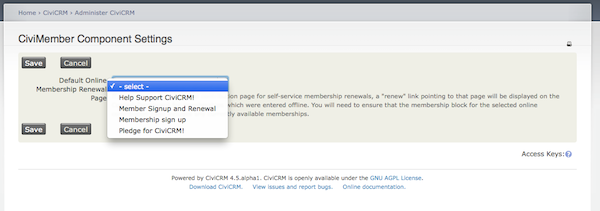
When a membership is purchased using the online membership signup page (self-service), that user's Contact Dashboard will contain a "renew" link pointing to that page. However this link will not appear for members whose initial membership was entered manually unless you configure a Default Online Membership Renewal Page as follows:
- If it does not already exist, create a membership page that includes all currently available memberships. You may need to use a Membership price set for this if the membership fees need to be allocated to more than one financial type.
- Navigate to Administer > CiviMember > CiviMember Component Settings.
- For Default Online Membership Renewal Page choose the membership page containing all your membership types
A "renew" link pointing to that page will then be displayed on the Contact Dashboard for any memberships which were manually entered.