Create a membership report
Use a membership template to create and save a report with criteria different from those offered by the built-in membership reports.
- Click on Reports > Membership Reports > click the New Member Report button.
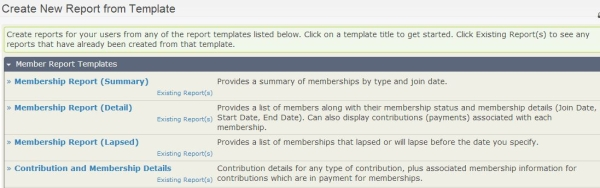
- On the Create New Report Template screen, click one of the membership report templates and enter your criteria.
- Click Preview Report to check your results.
- If you like what you see, click Create Report, then enter the information you want to save this as a new membership report.
See Reporting to learn more about working with reports in general.