Manage email addresses on hold
If an email address is put on hold, you can unhold it or fix/delete it.
Release a hold
- Go to Advanced Search.
-
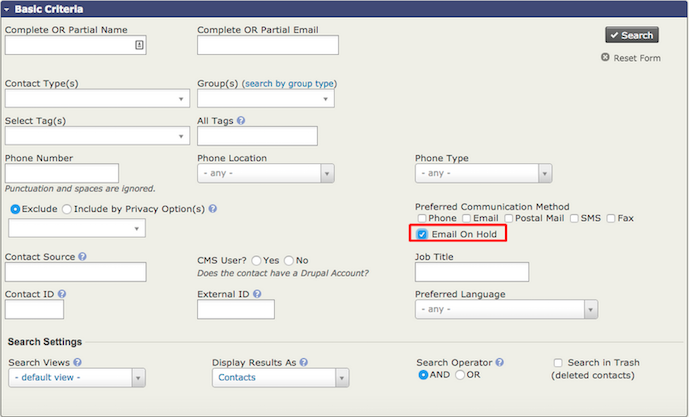
In Basic Search Criteria, check the box to search for Emails On Hold.
-
Select the contacts with held email addresses. Choose Unhold Emails from the dropdown list and click Go.
Correct or update held emails
First, create a group(s) for bad emails. Then:
- In the top menu, go to Reports.
- Select Mail Bounce Report.
- The report will show contacts whose emails have bounced.
- Open Report Criteria at the top of the mailing to limit the report to a specific bounce type.
- Add the contacts in your search results to the group you created.
- Pull up the group via Advanced Search. It is also recommended that you select Email on Hold to avoid querying records that have previously bounced but may have already been updated.
- Select Batch Update via Profile for all results whose email addresses you can correct/update. This requires a profile that contains just Primary Email.
- Select this profile and click Update.